
Angularjs provides the way to bind HTML select elements with angularjs model
The select directive also provides dynamic option value using ng-repeat and ng-options
When the item from select element is get selected from option then it is bind with the value of ng-model associated with select element using angularjs two-way binding.
Setting option value using the value attribute of the option element will set this value as a string.
On selection of this value in ng-model the model variable must be a string type.
https://cdnjs.cloudflare.com/ajax/libs/angular.js/1.7.8/angular.min.jsselect is
description of parameters fields is self-explanatory.
To access the value in the model you have to provide modal name rest of the attributes are optional as per requirement anyone can use.
let us see one basic example for selecting a value in the model
ng options default : Select default option in angularjs
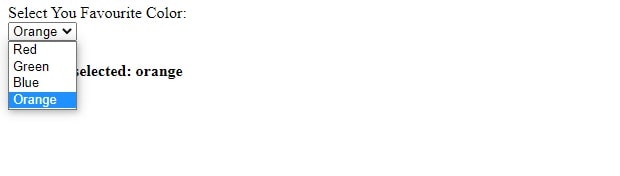
Angularjs get selected option value dynamically
populating select with dynamic values
selecting a id based on value from json array as below
Populate dropdown with json data using angularjs
Angularjs multiple select example
To select multiple in the above program use multiple with the select element as below
by holding the control key with a click can select multiple values
Using ng-option with select to generate dynamic option value
pre-populating any specific value in ng-options is easy in the following example you can see this.
Consider we have to populate Blue as default value then set $scope.favouriteColor=3 in controller
see below
scope.favouriteColor=3;
Read More
How to create First Angular App (Step by step )