
Maven is the Project Management Tool, that helps developers to build the project easily (make create, add, update, compile, test, and deploy work easily).
You can download Maven from Official Site
You can find the servlet dependency file here
Technologies used here are as below
- Apache Tomcat IDE 14
- Tomcat Server apache-tomcat-9.0.68
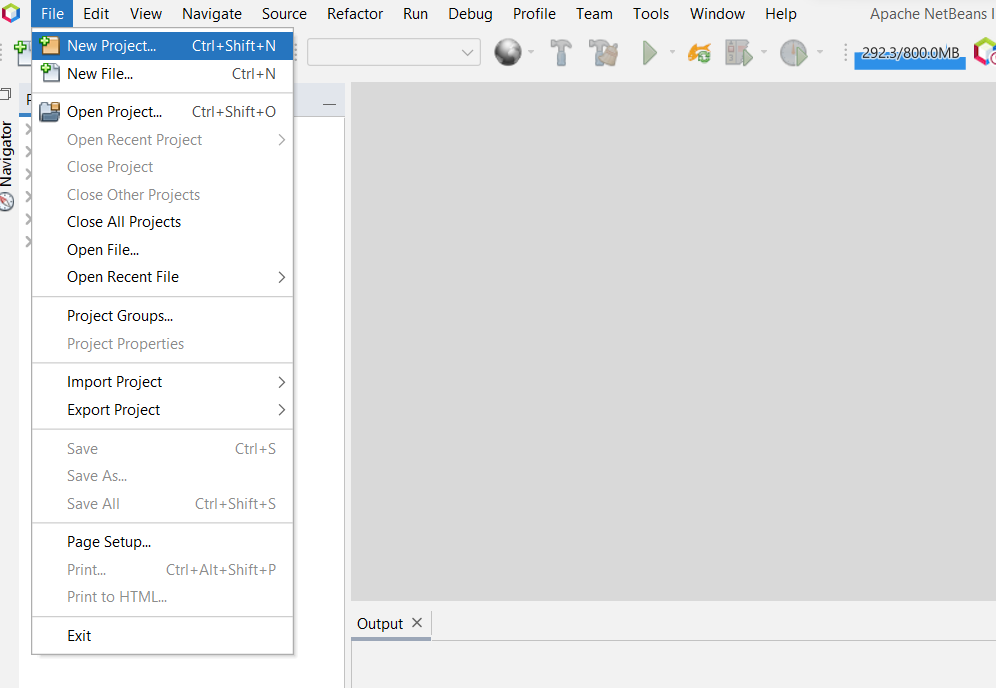
Here we will start a new project with maven
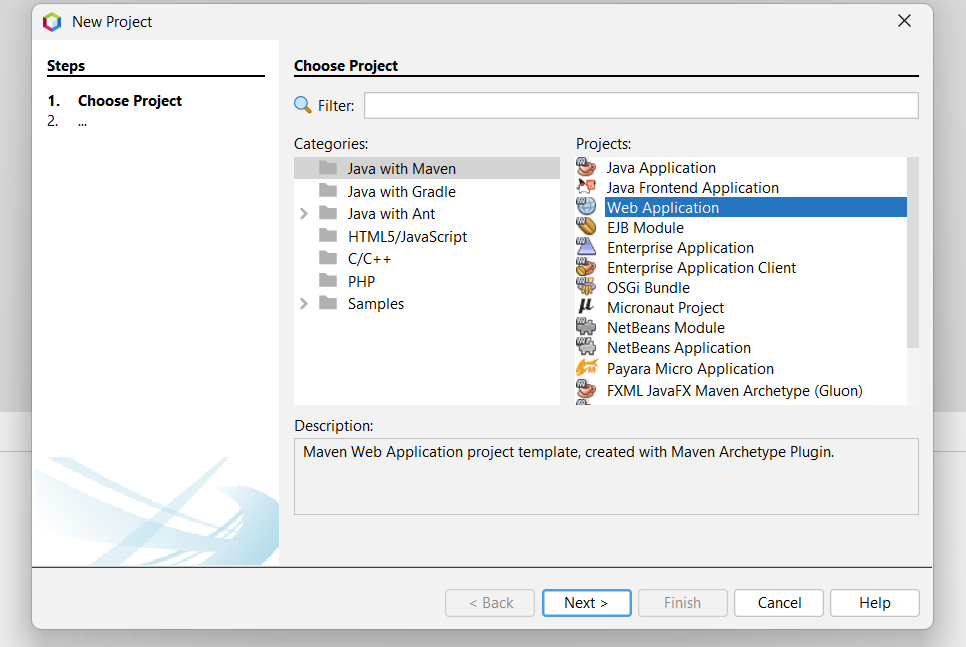
Select Java with Maven -> Web Application then next
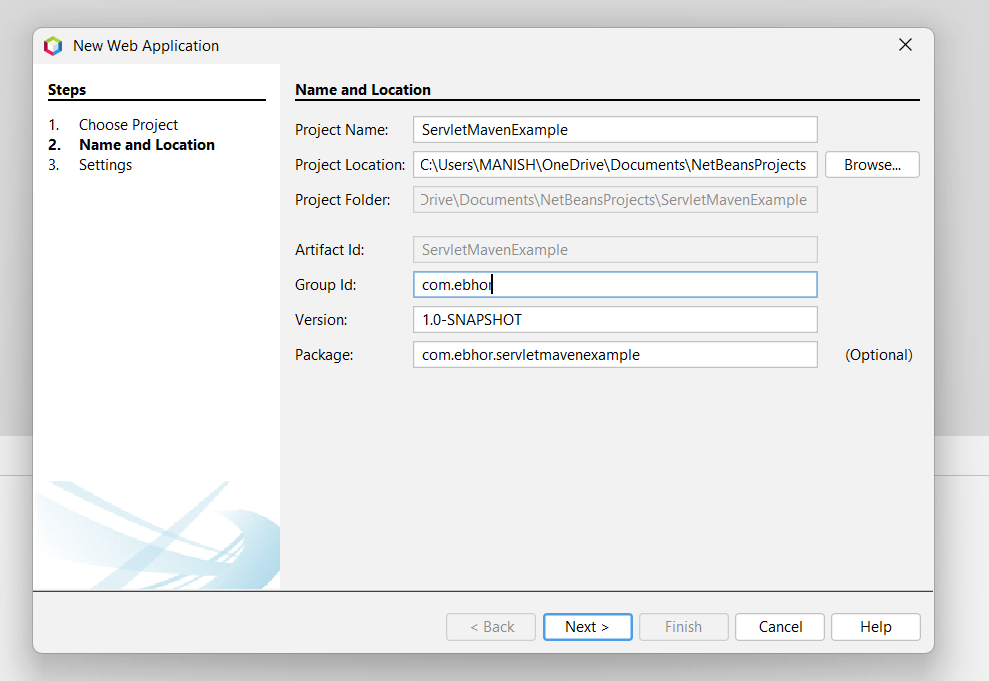
Give the Project name Here ServletMavenExample and group id com.ebhor
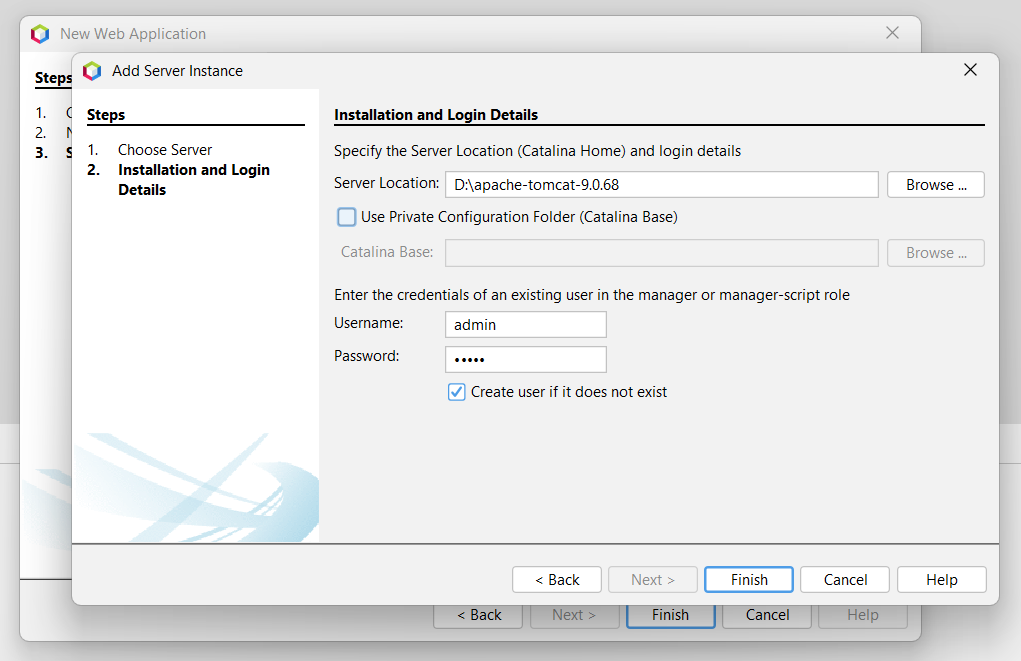
If you have tomcat downloaded then select its location and provide the username and password.
If the user name and password don’t exist then it will create for you.
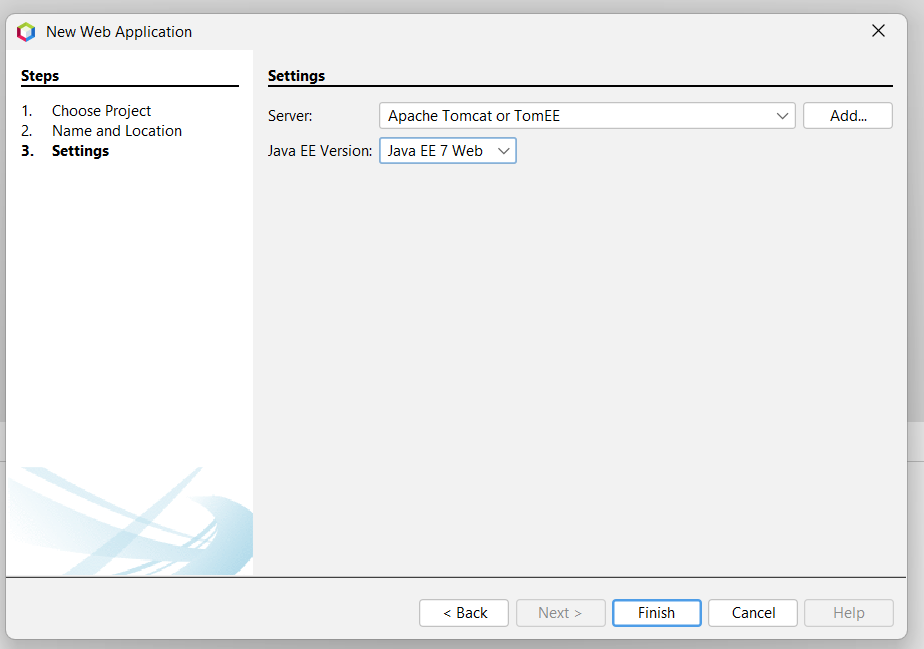
Here Our Server is Apache Tomcat and Java EE version in Java EE 7 Web.
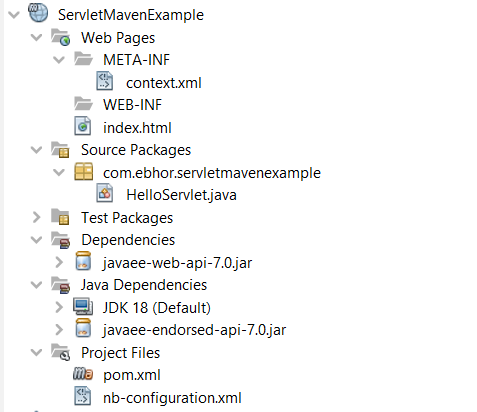
Project Explorer
On the left side of the window, you will find project explorer.
Right-click on project Explorer and run it.
on running it will download its dependency.
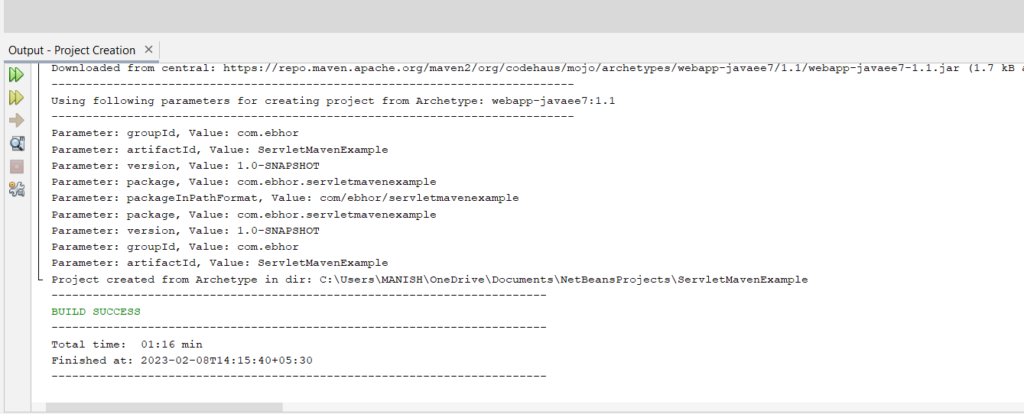
On successfully downloading it will show BUILD SUCCESS.
Many times it will show errors like the below:
Failed to execute goal org.apache.maven.plugins:maven-war-plugin:2.2:war (default-war)
Failed to execute goal org.apache.maven.plugins:maven-war-plugin:2.2:war (default-war) on project ServletMavenExample: Execution default-war of goal org.apache.maven.plugins:maven-war-plugin:2.2:war failed: Unable to load the mojo 'war' in the plugin 'org.apache.maven.plugins:maven-war-plugin:2.2' due to an API incompatibility: org.codehaus.plexus.component.repository.exception.ComponentLookupException: Cannot access defaults field of Properties
-----------------------------------------------------
realm =    plugin>org.apache.maven.plugins:maven-war-plugin:2.2
strategy = org.codehaus.plexus.classworlds.strategy.SelfFirstStrategy
urls[0] = file:/C:/Users/MANISH/.m2/repository/org/apache/maven/plugins/maven-war-plugin/2.2/maven-war-plugin-2.2.jar
urls[1] = file:/C:/Users/MANISH/.m2/repository/org/apache/maven/reporting/maven-reporting-api/2.0.6/maven-reporting-api-2.0.6.jar
urls[2] = file:/C:/Users/MANISH/.m2/repository/org/apache/maven/doxia/doxia-sink-api/1.0-alpha-7/doxia-sink-api-1.0-alpha-7.jar
urls[3] = file:/C:/Users/MANISH/.m2/repository/commons-cli/commons-cli/1.0/commons-cli-1.0.jar
urls[4] = file:/C:/Users/MANISH/.m2/repository/org/codehaus/plexus/plexus-interactivity-api/1.0-alpha-4/plexus-interactivity-api-1.0-alpha-4.jar
urls[5] = file:/C:/Users/MANISH/.m2/repository/org/apache/maven/maven-archiver/2.5/maven-archiver-2.5.jar
urls[6] = file:/C:/Users/MANISH/.m2/repository/org/codehaus/plexus/plexus-io/2.0.2/plexus-io-2.0.2.jar
urls[7] = file:/C:/Users/MANISH/.m2/repository/org/codehaus/plexus/plexus-archiver/2.1/plexus-archiver-2.1.jar
urls[8] = file:/C:/Users/MANISH/.m2/repository/org/codehaus/plexus/plexus-interpolation/1.15/plexus-interpolation-1.15.jar
urls[9] = file:/C:/Users/MANISH/.m2/repository/junit/junit/3.8.1/junit-3.8.1.jar
urls[10] = file:/C:/Users/MANISH/.m2/repository/com/thoughtworks/xstream/xstream/1.3.1/xstream-1.3.1.jar
urls[11] = file:/C:/Users/MANISH/.m2/repository/xpp3/xpp3_min/1.1.4c/xpp3_min-1.1.4c.jar
urls[12] = file:/C:/Users/MANISH/.m2/repository/org/codehaus/plexus/plexus-utils/3.0/plexus-utils-3.0.jar
urls[13] = file:/C:/Users/MANISH/.m2/repository/org/apache/maven/shared/maven-filtering/1.0-beta-2/maven-filtering-1.0-beta-2.jar
Number of foreign imports: 1
import: Entry[import  from realm ClassRealm[maven.api, parent: null]]
To Resolve this error go to the pom.xml file and update the plugin version of org.apache.maven.plugin from 2.2
Again build and run the project.
This will resolve your problem.
Complete pom.xml as below.
servlet dependency in pom.xml
servlet maven dependency is as below
            javax
            javaee-web-api
            7.0
            provided
pom.xml
    4.0.0
    com.ebhor
    ServletMavenExample
    1.0-SNAPSHOT
    war
    ServletMavenExample

        ${project.build.directory}/endorsed
        UTF-8


            javax
            javaee-web-api
            7.0
            provided


                org.apache.maven.plugins
                maven-compiler-plugin
                3.1

                    1.7
                    1.7

                        ${endorsed.dir}


                org.apache.maven.plugins
                maven-war-plugin
                3.3.1


                org.apache.maven.plugins
                maven-dependency-plugin
                2.6


                        validate

                            copy


                            ${endorsed.dir}
                            true


                                    javax
                                    javaee-endorsed-api
                                    7.0
                                    jar
Create a Servlet in NetBeans
Right-click on package com.ebhor.servletmavenexample -> new ->servlet
this will as class name as below.
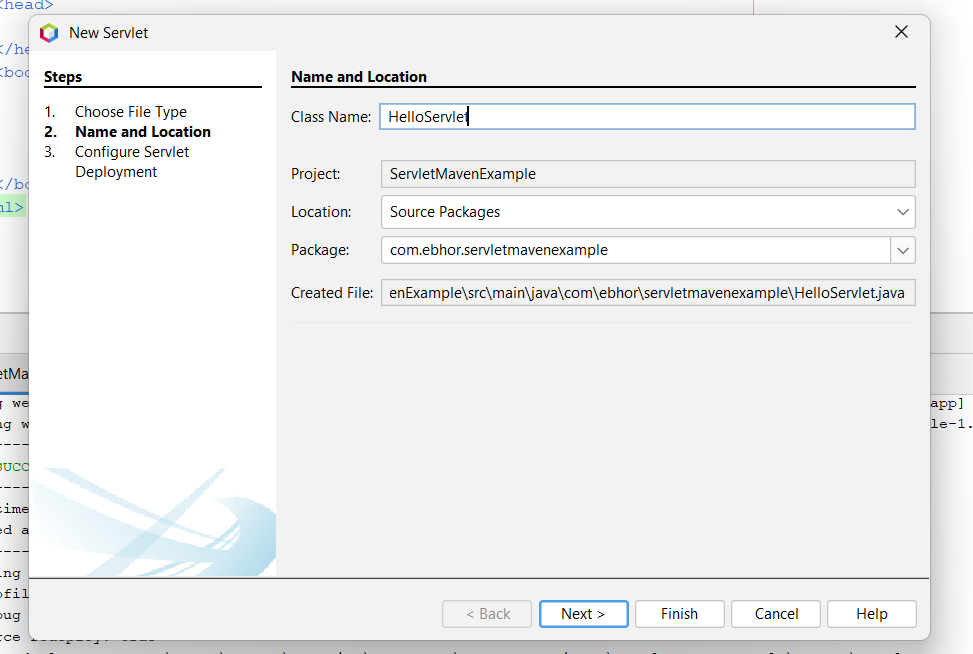
This will create a new servlet named HelloServlet and URL pattern /HelloServlet
index.html
This file is already created here we are not creating JSP file just testing with index.html
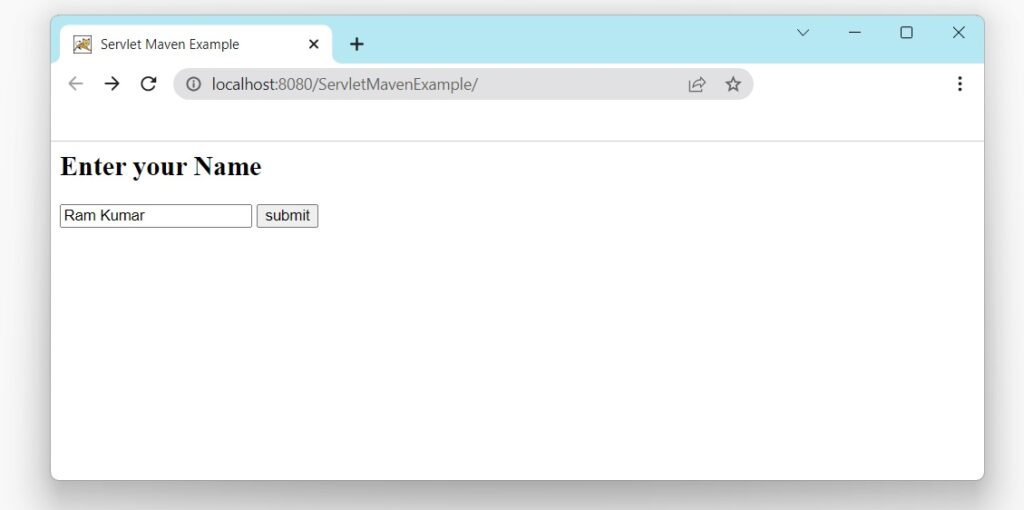
This HTML page contains a text box and submits button.
On clicking on submit form will submit to /HelloServlet action.
        Servlet Maven Example


        Enter your Name
HelloServlet.java
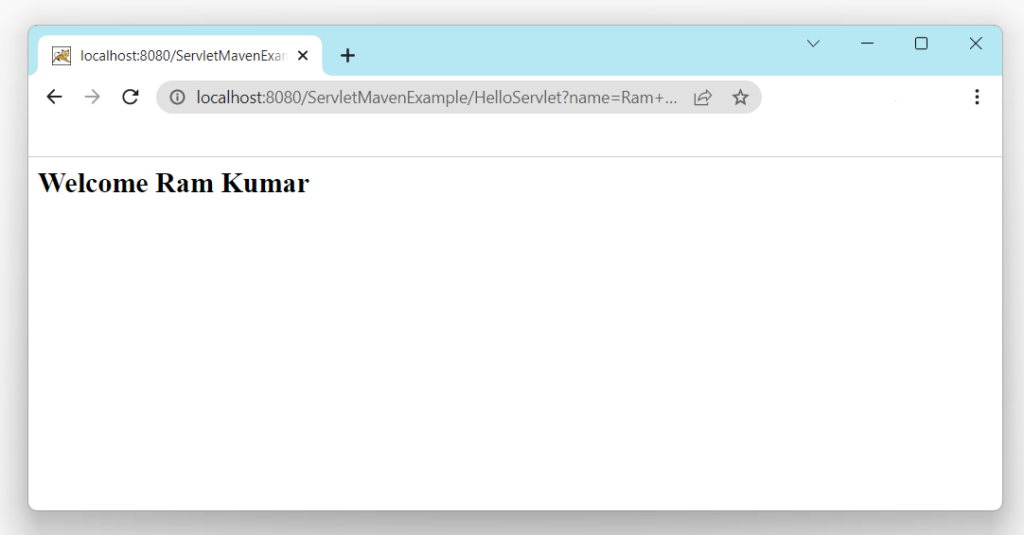
This will get a request parameter named name and display its value in the browser.
package com.ebhor.servletmavenexample;
import java.io.IOException;
import java.io.PrintWriter;
import javax.servlet.ServletException;
import javax.servlet.annotation.WebServlet;
import javax.servlet.http.HttpServlet;
import javax.servlet.http.HttpServletRequest;
import javax.servlet.http.HttpServletResponse;
@WebServlet(name = "HelloServlet", urlPatterns = {"/HelloServlet"})
public class HelloServlet extends HttpServlet {
@Override
protected void doGet(HttpServletRequest request, HttpServletResponse response)
throws ServletException, IOException {
String name = request.getParameter("name");
response.setContentType("text/html");
PrintWriter out = response.getWriter();
out.println("Welcome " + name + "
");
out.close();
}
}
After completion all work execute the program it will ask name to user and show his/her name in next browser.
Result
Read More